
Writing, 12 min read
Fast to try, slow to make good
My first try at a studio-quality 3D scene with AI. One beautiful image from Krea, 34 rounds in Blender, a walkable Unity build, a lake that went black and a granite wall where a rock should lie. And the pipeline that came out of the mess.
The picture I chased
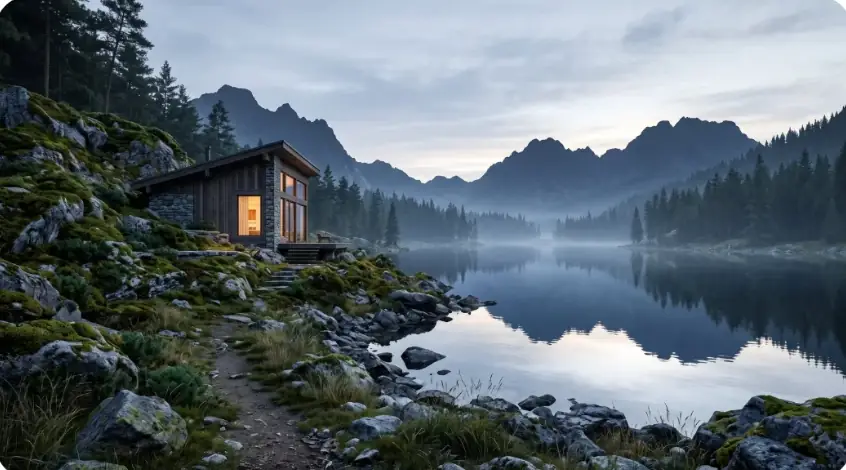
It started with one image. A timber cabin on a mossy granite slope, a warm window in a cool blue-hour world, a lake like a mirror, mist, mountains. I wanted to know if I could build it.
Not paint it again with another prompt. Build it: a real 3D scene, with real geometry and real light, that you can render from any angle and, later, walk through.
Claude Code drives every tool from the command line: Blender, Unity, the asset downloads, the video encodes, the benchmarks. Free assets only. I give the direction.
This is part 1 of two posts. It is the messy one. Part 2, Granny’s Kitchen, is the same idea with a real pipeline. This post is where that pipeline came from.
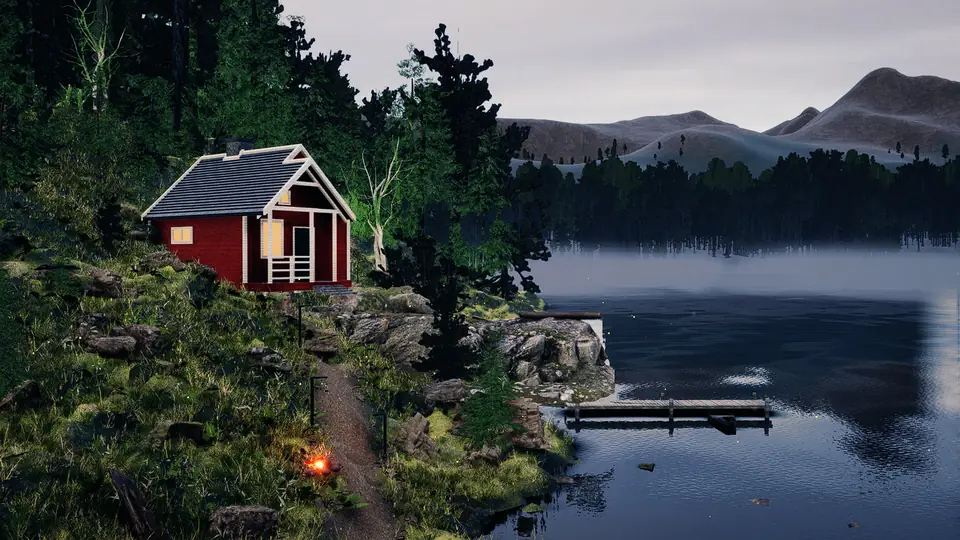

01of 07
Thirty-four rounds in Blender
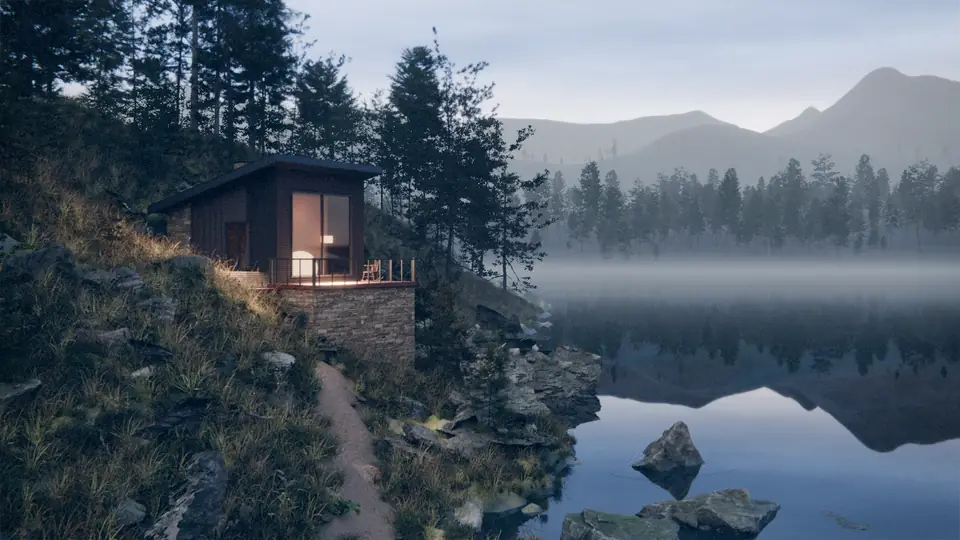
Claude wrote the whole scene as a Python script: terrain from real elevation data, scanned CC0 rocks and trees from Poly Haven, ambientCG and Mantissa, the cabin, the path, the fog, the camera. One command rebuilds it.
To know if a round was better, we needed a score. A panel of model judges compared each render with the reference on eight axes. The reference itself scored 9.45. Round 1 scored 5.0.
The first jumps came fast. Scanned assets and a few fixes took it to 6.0 in four rounds. The worst of those fixes: a fog box that sat exactly on the water plane. Then the score stopped moving.
For fifteen rounds it looked like an asset problem. The judges kept saying the rocks and the trees looked fake. It was not the assets. A 2× crop showed the real cause: the volumetric fog left a fine noise all over the dark forest. One switch to a noise-free haze gave the biggest single jump of the job, +0.53.
Another one: the judges kept naming the “hero rocks”. Then Claude ray-cast the pixels they pointed at. For 14 rounds, the hero rocks had not been in the frame.
One judge on one image varies by about 0.4 points. From round 22 every render got six judges, and later a same-batch control, or a “better” round was just luck.
The best rounds reached about 7.5 out of 10. Then eight rounds in a row without a rise: more light, other fog shapes, props, bigger mountains, a lower camera. Each one lost, or tied.
I also tried the obvious AI shortcut twice. A Krea Enhance pass over the best render: +0.07, inside the noise, and all six judges named new AI artefacts, like halos and oil-paint smearing. Then one Krea text-to-3D boulder, about 1,794 compute units, to replace the scanned lake rocks. It came back as a soft rounded blob with a flat moss cap. It lost to the free scans, 7.35 against 7.53. We stopped that route.
After eight flat rounds, the assets and the engine were the limit. I said “stop and deliver”, and round 26 became the final still. Five later rounds tried the Blender features we had not used yet: real displacement, hair moss, light linking, volumetric mist, a cabin pass. None beat it.

02of 07
Walkable
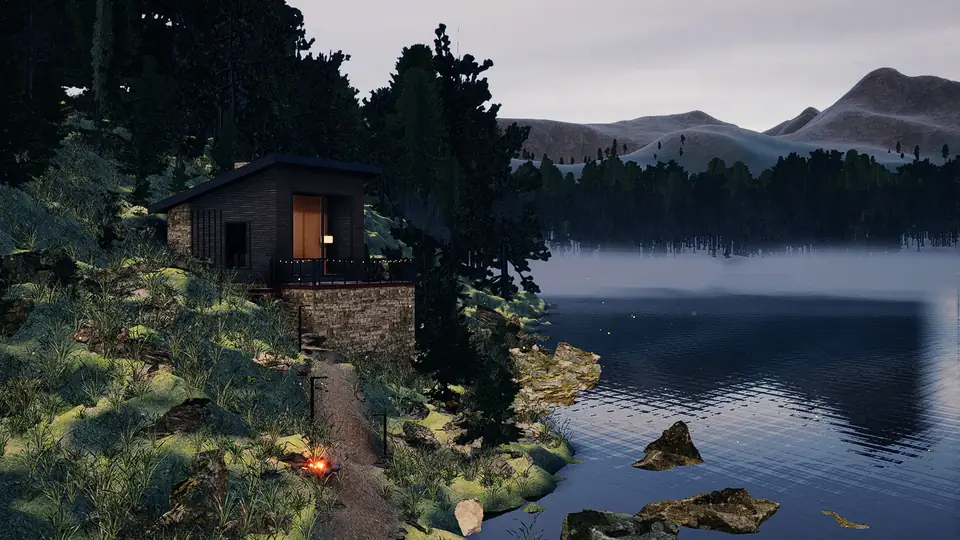
A still was not enough. I wanted to walk down that path. So: Unity 6 HDRP on my Mac, driven from the command line only.
The catch: Unity HDRP on a Mac (Metal) has no ray tracing, so the bounce light, the mirror lake and the soft fog that Blender gave for free had to be baked or faked. Claude baked the terrain and the cabin to textures and rebuilt the scene in Unity.
The first player benchmark said 226 fps. That was not a win. The player build had stripped the shader variants for instancing, so the vegetation drew nothing. 226 fps of an empty slope. From then on every benchmark saves a screenshot.
The real first number: 62 fps.

03of 07
Cozy, then “AI-generated”
Then I asked for a cozy forest-game mood. Claude delivered all of it: a moon key light, lanterns along the trail, 37 string-light bulbs on the deck, 222 glowing mushrooms, three swarms of fireflies (390 of them), chimney smoke, bloom, depth of field, a teal-and-amber grade.
My feedback: edgy, AI-generated, and flat.
Every item on that list is a tell. Glowing mushrooms, too many fireflies, strong bloom, a tilt-shift blur that makes a forest look like a miniature, saturated flowers. The restraint pass took most of it out: depth of field off, sharpening from 1.0 to 0.35, bloom down, mushrooms off, fewer than half the fireflies. And a real key light, because the only sun had been a weak one on the horizon in front of the camera.
Cozy is contrast: a cool world with small warm lights. A golden sun in fog does not give cozy. It gives a yellow white-out.
04of 07
Real assets
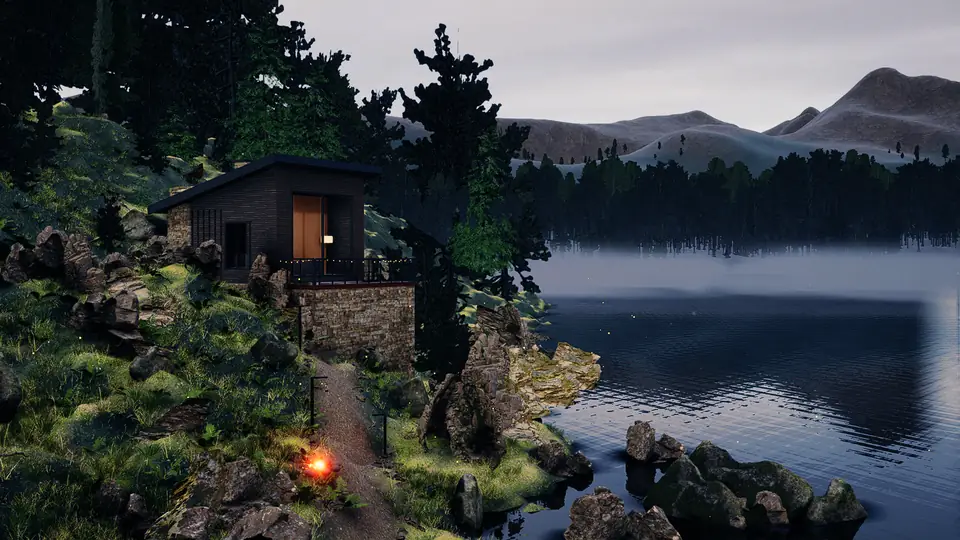
Fab has free Quixel Megascans with a free Professional licence. Claude swapped 21 scanned rocks, cliffs, ferns, grasses and logs, plus a fir pack with real LODs, into the same placements.
No light change, no grade, no fog tweak in the whole job moved the realism like that swap did. Scanned assets set the ceiling. Everything else only decides how close you get to it.

It also cost. The frame rate went from 42 to 26 fps.

Blooper 01
The meadow and the green card forest
- What you see
- Knee-high grass that hides the path and the fire, and a far forest of flat, bright green cards across the lake.
- Cause
- The Megascans grass came in at its own scanned size, not at the size of the plants it replaced. The fir pack’s own billboards read as bright green cards at distance.
- Fix
- Every ground plant is scaled to the height of the mesh it replaces. The far forest keeps the dark baked impostors.
05of 07
The water
The water took more rounds than anything else. The review of the first asset build said it plainly: an opaque lid, no contact with the shore, no warm reflections.

Blooper 02
The pitch-black lake
- What you see
- The whole lake is black.
- Cause
- We tried see-through water: refraction, with fog under the surface. A mirror lake in HDRP uses a planar reflection probe: a second camera, mirrored below the water. That camera now sat inside the fog.
- Fix
- No fog under the water, ever. The lake stays an opaque mirror. Partial transparency cost 20 to 50 ms per frame and still showed no lake bed.

Blooper 03
Pale blotches on the water
- What you see
- Sharp, pale patches all over the lake.
- Cause
- Two things that both paint pale. The wet-shore decals started at the water plane, so they painted the lake too. And calm and rough patches had a different gloss.
- Fix
- The decals start a centimetre above the water. One gloss for the whole lake; only the ripple strength varies.

Blooper 04
The orange wall
- What you see
- A solid orange wall of light on the water under the cabin.
- Cause
- The warm reflections come from extra lights that only the water sees. At 0.6 of the original strength they made a wall. The lower values looked invisible, but not because they were too weak: a code comment at the end of a line had swallowed the range setting after it, so the lights only reached 10 metres.
- Fix
- The comment on its own line, the range back, and 0.12 of the strength.
A comment ate a line of code, and we tuned a number that was not the problem. It happened more than once; it is now a lint rule.
The other small lesson: real lakes are almost flat. A normal strength of 0.35 made a staircase. About 0.07 made water.


06of 07
The stuga
Then a style change: Scandinavian. A Falu-red stuga on granite, birches, a jetty, a rowing boat.
There is no free photo-real Scandinavian cottage. So Claude took a free CC-BY wooden house by Helindu and repainted it: red planks, white trim, a tarred black roof, a dark green door, a granite plinth. Free CC-BY birches by LOLIPOP. A plank jetty built in code. A scanned Megascans boat.
It worked. It also shows the problem: the style of the scene was decided by what was free, late, after the light and the water.

Blooper 05
The granite wall and the magenta birches
- What you see
- Upright rock shards, a 14-metre granite wall over the stuga, and birches with bright magenta crowns.
- Cause
- The import code read each scan’s position relative to itself, so every scan lost its rotation and scale, and the rocks stood up. The magenta: all birch files shared one material name, the copies overwrote each other, and a missing material shows as magenta.
- Fix
- Bake the node’s full matrix, and give every material copy a unique path.

Blooper 06
A birch in front of the camera
- What you see
- A birch fills the hero view.
- Cause
- A forced re-import of one birch file reset its earlier copies to the origin, 10 metres in front of the camera.
- Fix
- Import each file once, and keep a no-tree zone in front of the camera.


07of 07
What it cost
- Average fps
- 25.7
- Slowest 5 %
- 11.9
- Target fps
- 30
- Blender rounds
- 34
- Gotchas logged
- 30
- Krea units
- 1,806
On an M5 Pro at 1600 × 900, the build runs at 25.7 fps on average and 11.9 in the slowest 5 %. The target was 30.
Switching parts off shows the cost: all vegetation off saves 24 ms a frame, shadows off 18 ms, rocks almost nothing. Those savings overlap, so they do not add up, but the message is clear. The grass, the trees and their shadows cost the frame. Vegetation shadows alone went from 412 ms to 36 ms with distance limits and thinning, and they are still the bill.
The rest of the bill: about 1,806 Krea compute units for two tests that lost, no paid assets, no paid software beyond Unity. And a register of 30 gotchas.
What the mess taught
Assets set the ceiling. Test real assets early, from the real cameras, before the layout depends on them.
Every claim needs a picture. The 226 fps was a number. The hero rocks were a judge’s word. The black lake was a setting that “should” work. A screenshot, a 2× crop or a ray-cast found every one of those bugs. A number alone hid them.
The style was decided late, by what assets existed. Decide the style first, then the asset list, then lock it.
Light and water were fixed too late. We fixed them after the materials, after the assets, after the style. Every water fix was rework.
And one I had to hear from Codex: the judge scores had become my art direction. Six judges made the score less noisy. They did not stop the “flat” and “AI-generated” feedback. Nobody owned the taste.
From the mess to the pipeline
So I rewrote the process, with Claude and Codex, from these lessons.
The biggest idea came from a studio breakdown of an Unreal environment: every clip opens in white clay under the final light. Then the states, then the dressing, layer by layer. That gave the clay + light lock: the whole layout in plain grey, lit with the final light, seen from the fixed cameras. If a view does not read in grey clay, no texture will save it. The water and the glass go into that clay too, because reflections are part of the composition.
Around it, a pre-production phase that this job never had: a signed brief with the target and the frame budget, a renderer proof, an asset bible and an asset lock, all before any scene work. A human art director: me. A second model that reviews from the files and the images, never from the builder’s chat.
Every failure in this post has a guard in that pipeline now. A screenshot in every benchmark. Ray-cast the pixels a reviewer names. The hardest reflection in the clay lock. No comment after a statement on the same line. Credits block the delivery.
Part 2 is the test of all that: one kitchen, run gate by gate.
Fast to try, slow to make good
AI made this fast to try. Thirty-four Blender rounds, five Unity passes, a style change and a water system between 15 and 18 October, every step from the command line. Without that speed I would never have tried half of it.
It did not make it good. It made 222 glowing mushrooms when I asked for cozy. It tuned a number for rounds while a comment had eaten the line. It chased a reference that a person picked, and the taste calls that moved it were made by a person.
And the reference was not even mine. It was an example image on Krea’s site. I spent 34 rounds chasing someone else’s beautiful picture.
Read part 2: Granny’s Kitchen“We need creatives, we need people that apply a soul, else we just get beautiful references from others.”